Serials in a camera roll
Someone photographed the labels. Finding the right photo on the right phone months later is the hard part.
Technicians record rooms, devices, serial numbers and photos from their phones. Project managers see exactly what is missing. Your customer receives a branded portal, PDF and ZIP with every drawing, manual and warranty.
Private beta. Request access at hello@revloy.com. Have a key? Sign up.
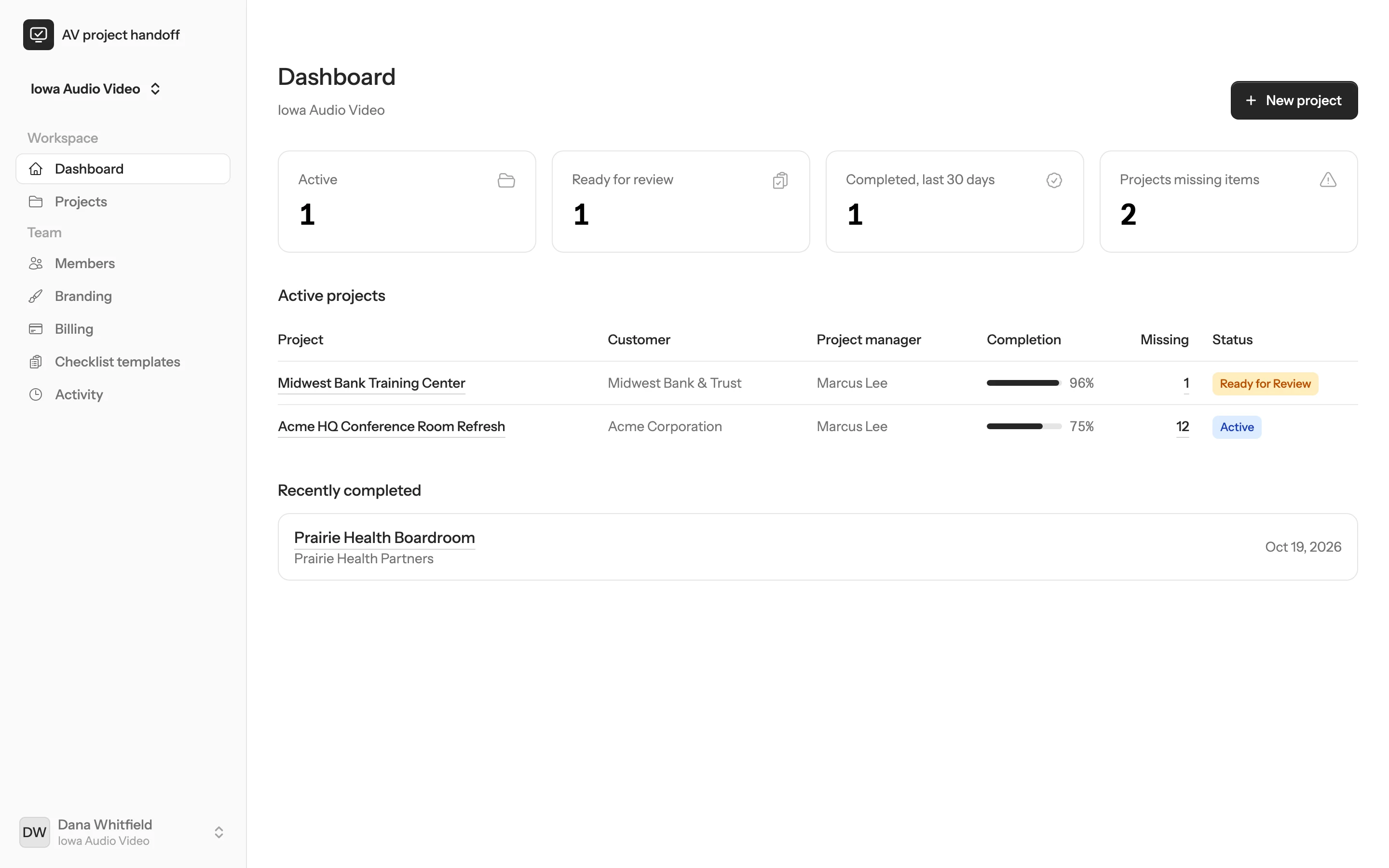
Screenshots show sample data for a fictional integrator and its customers.
The closeout problem
By the time a job wraps up, the information your customer needs is spread across phones, inboxes and laptops. Rebuilding it at the end is slow, and something is always missing.
Someone photographed the labels. Finding the right photo on the right phone months later is the hard part.
The warranty certificate your customer asks for is attached to a vendor email from three months ago.
The final drawings and rack elevations exist somewhere, probably as final-v7. Nobody is sure which one is current.
The DSP and control files live on the programmer’s machine until the day the system needs restoring.
Revloy gives every project one organized record, filled in by the people doing the work while they do it.
How it works
Step 1 · Technicians
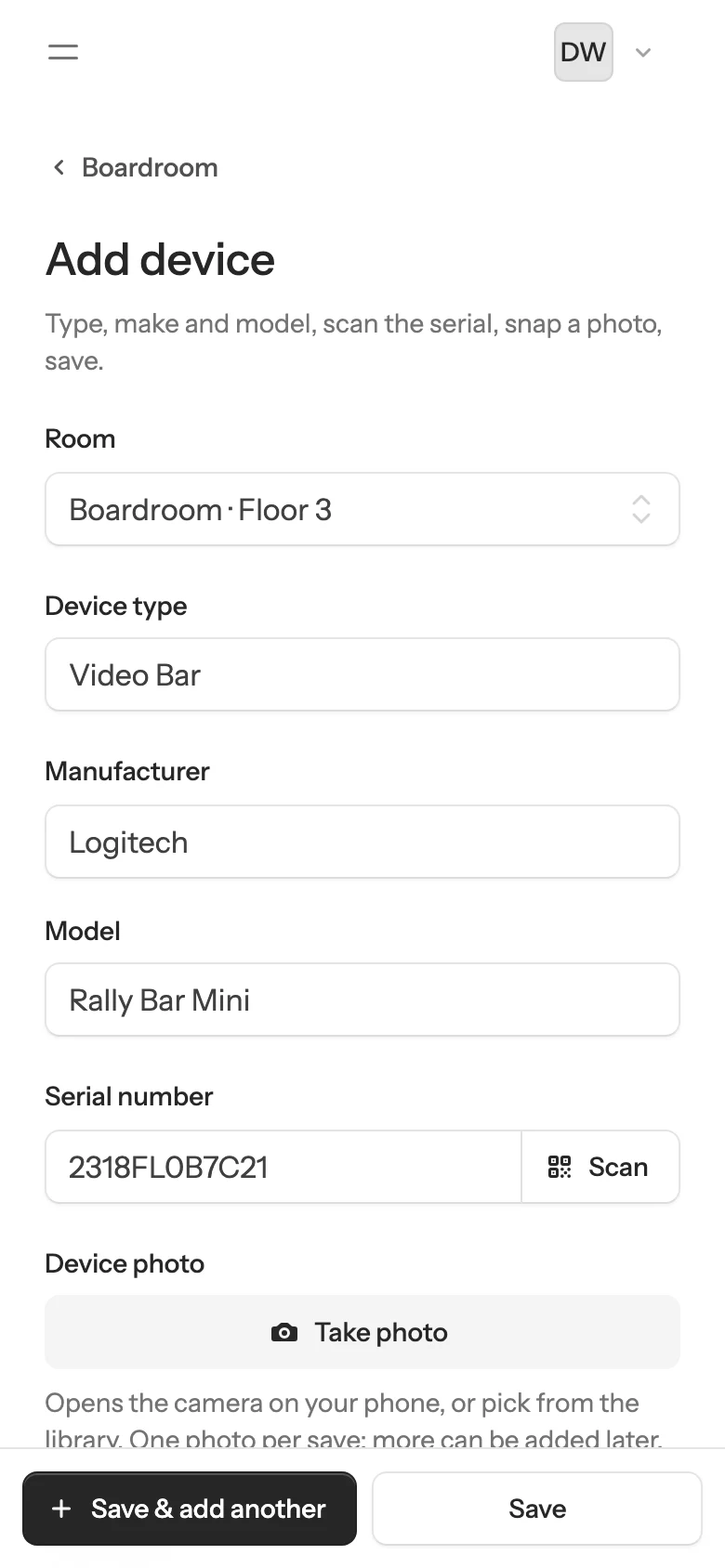
Technicians add devices room by room while they install. There is no app to download: it runs in the phone’s browser.
Step 2 · Project managers
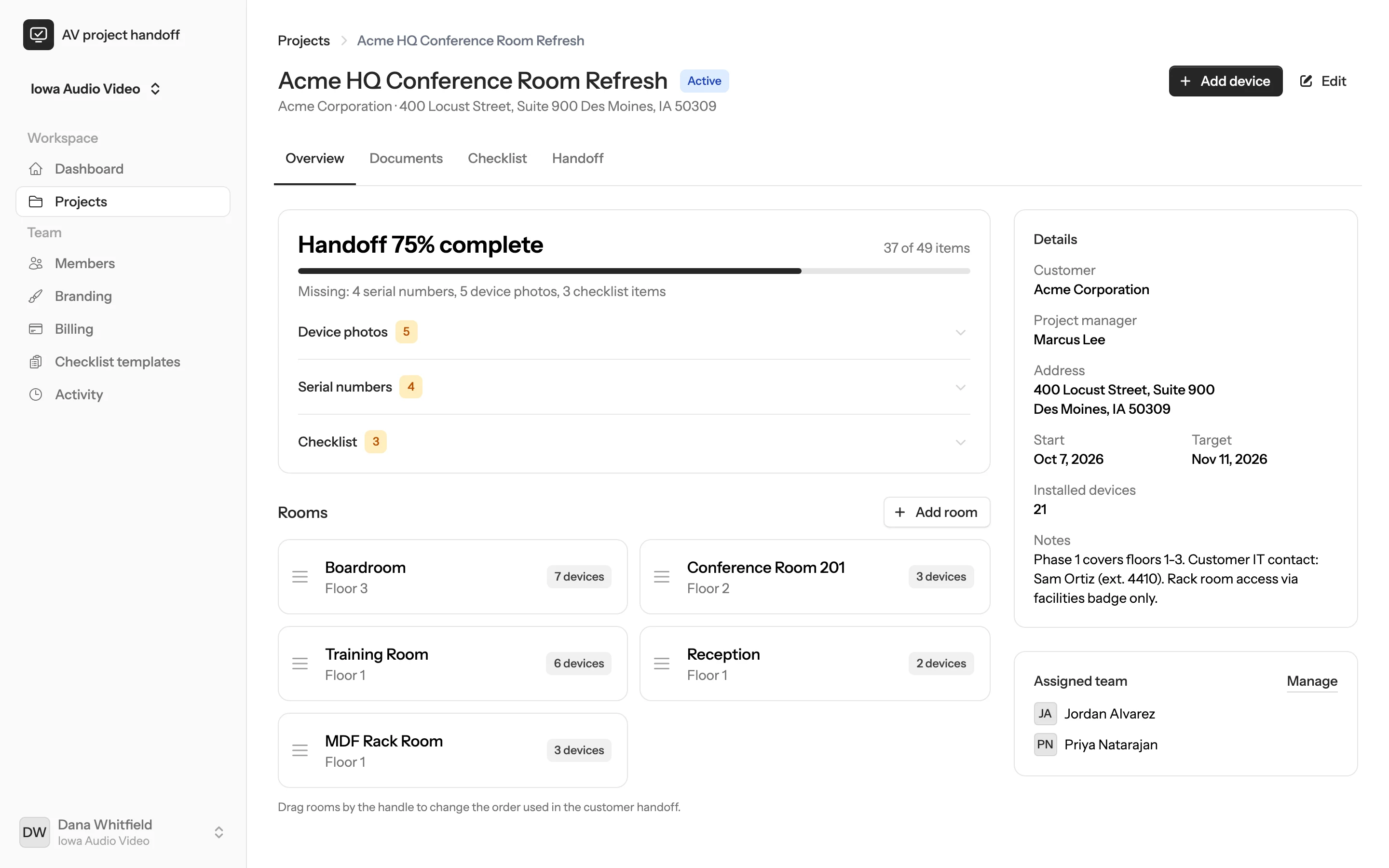
Every project shows a live completion percentage and a plain list of what still needs attention, so nothing waits until the last day.
Step 3 · Your customer
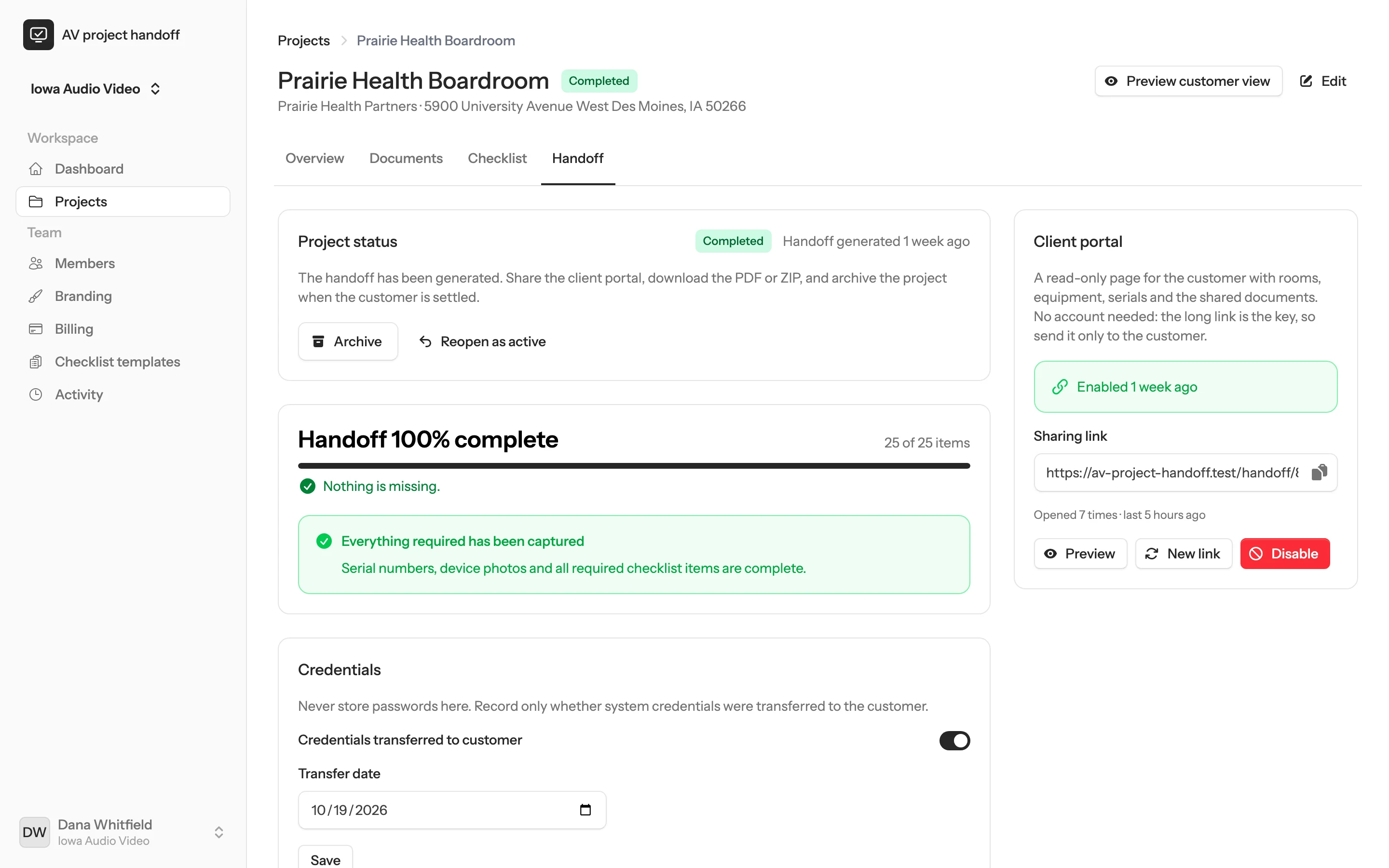
Generate the handoff in one click. Your customer gets a read-only portal, a branded PDF and a ZIP of every deliverable.
Product tour
Every screen works from the same project record, from the first device on site to the final handoff.
Every active project, its completion and what is still missing, at a glance.
Completion, missing items, project details and the assigned crew on one screen.
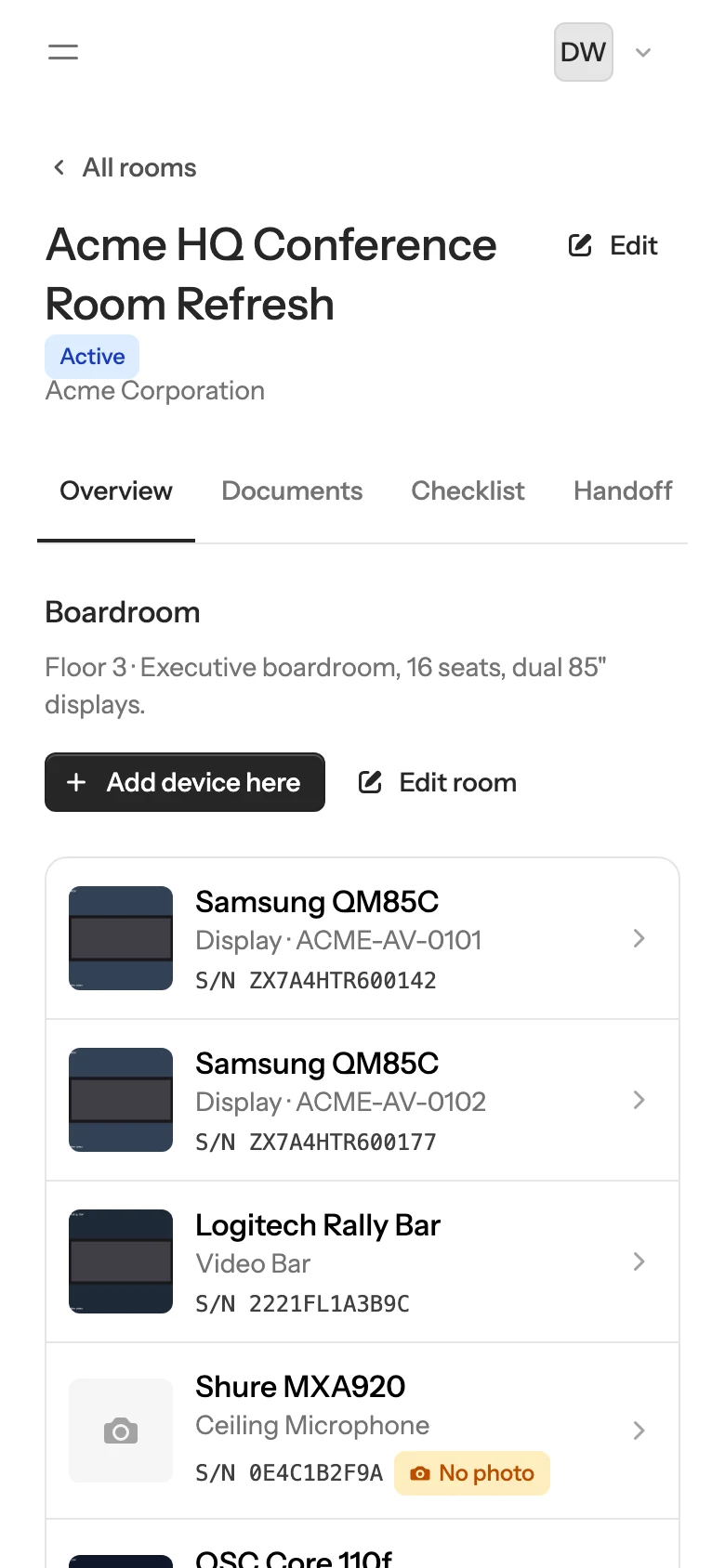
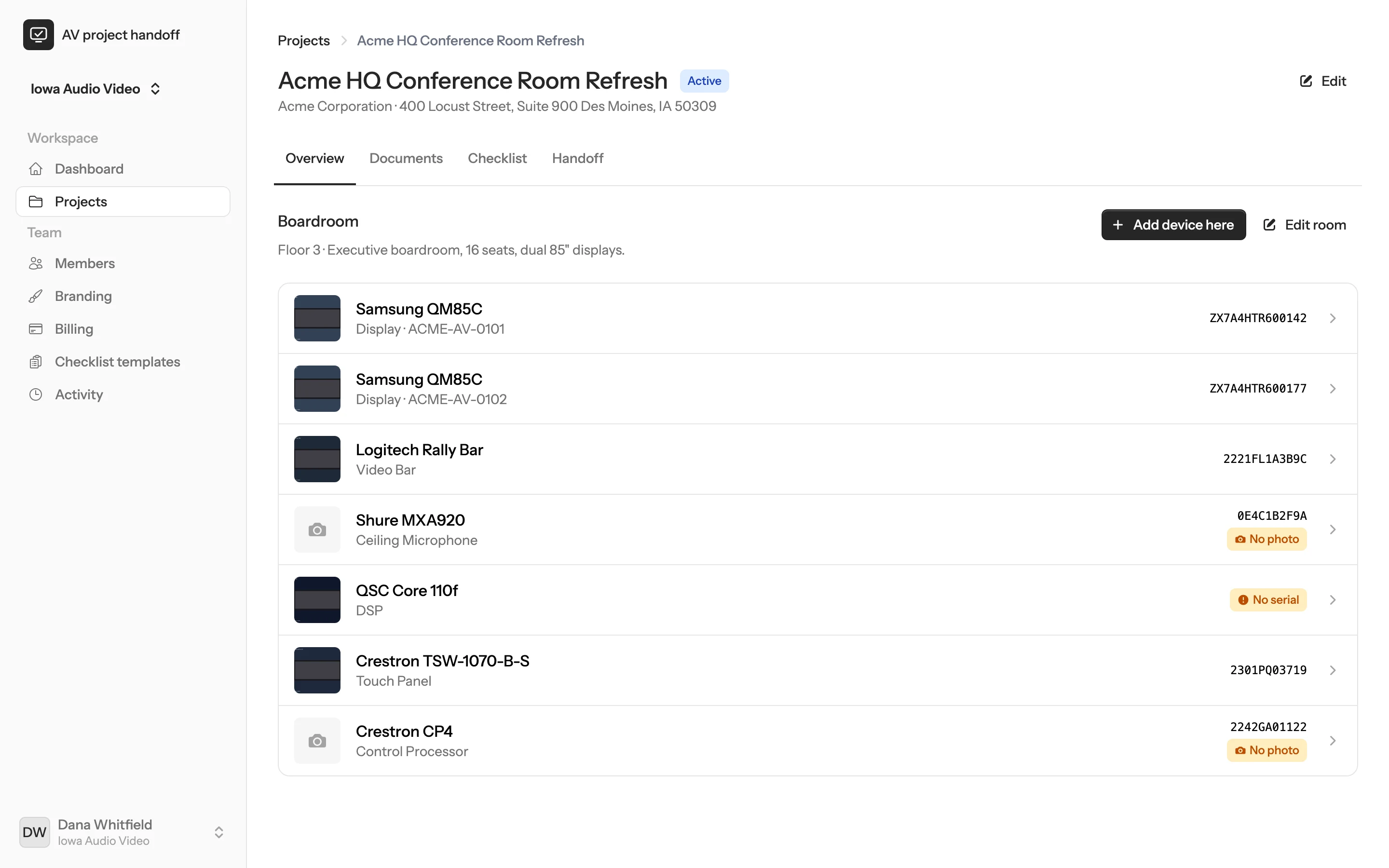
Each room lists its equipment with photos and serial numbers, and flags anything missing.
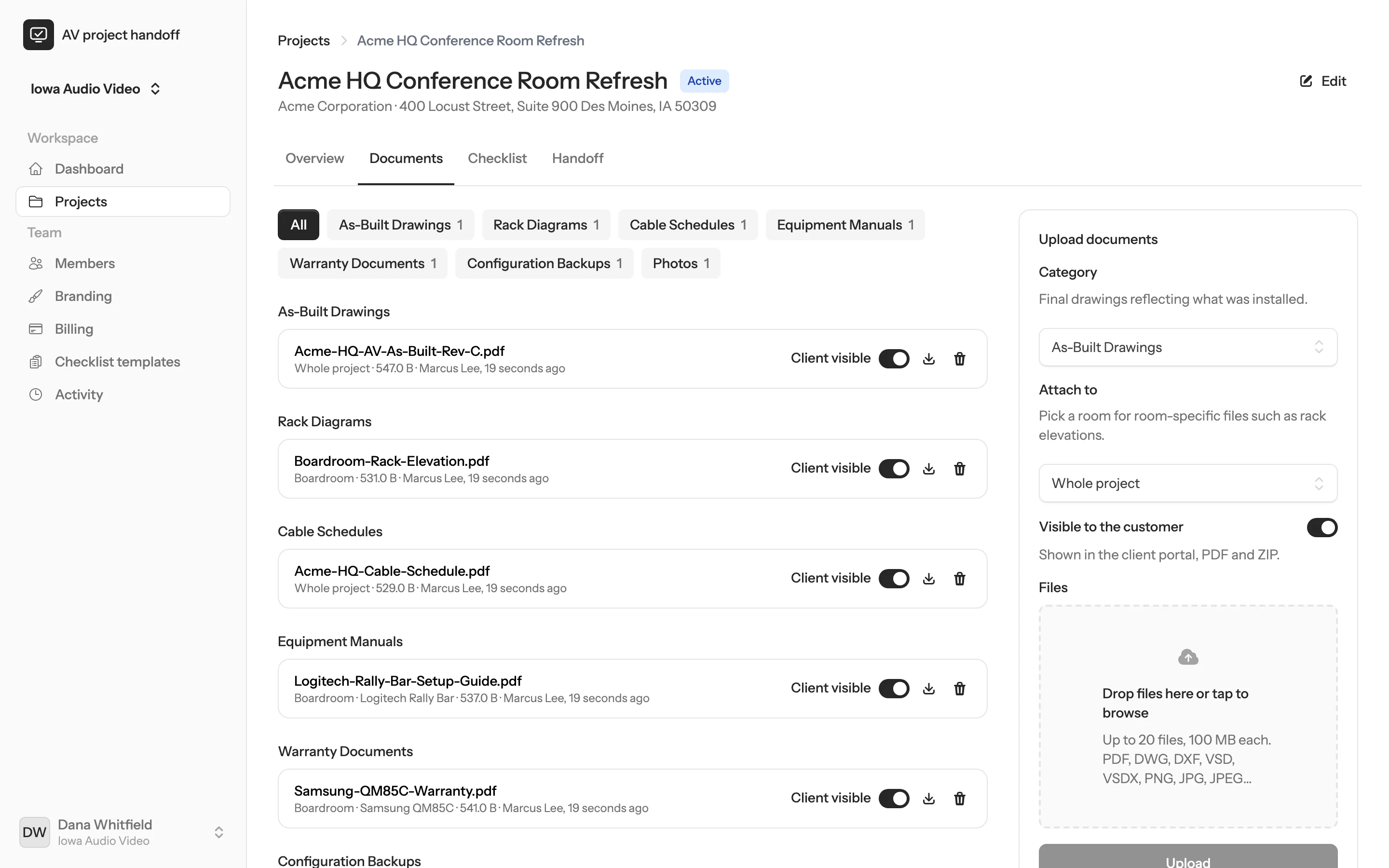
Drawings, manuals, warranties and backups sorted by category, with a switch for what the customer sees.
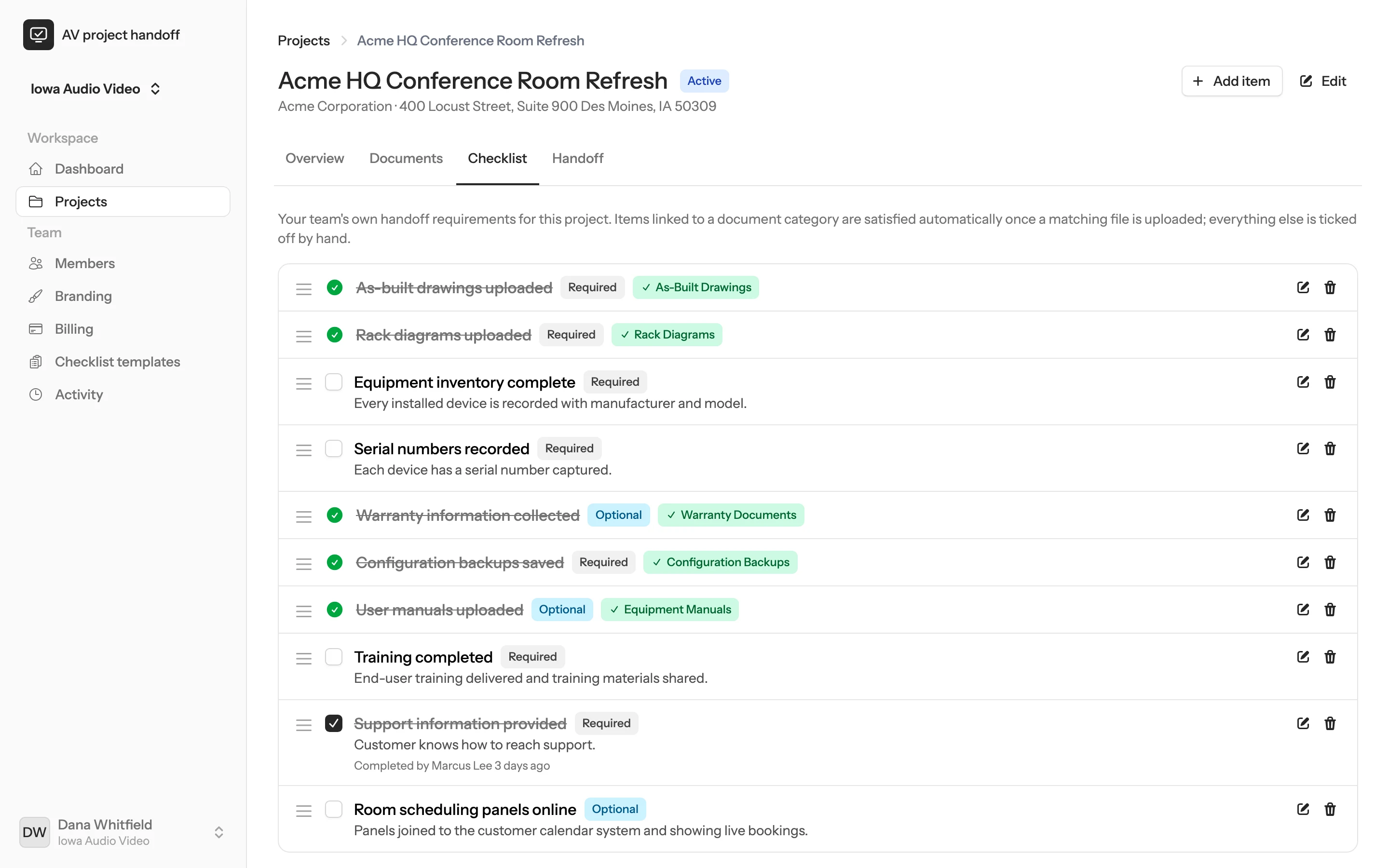
Your own closeout requirements. Items linked to a document category tick themselves.
Generate the handoff, share the client portal and record the credential transfer.
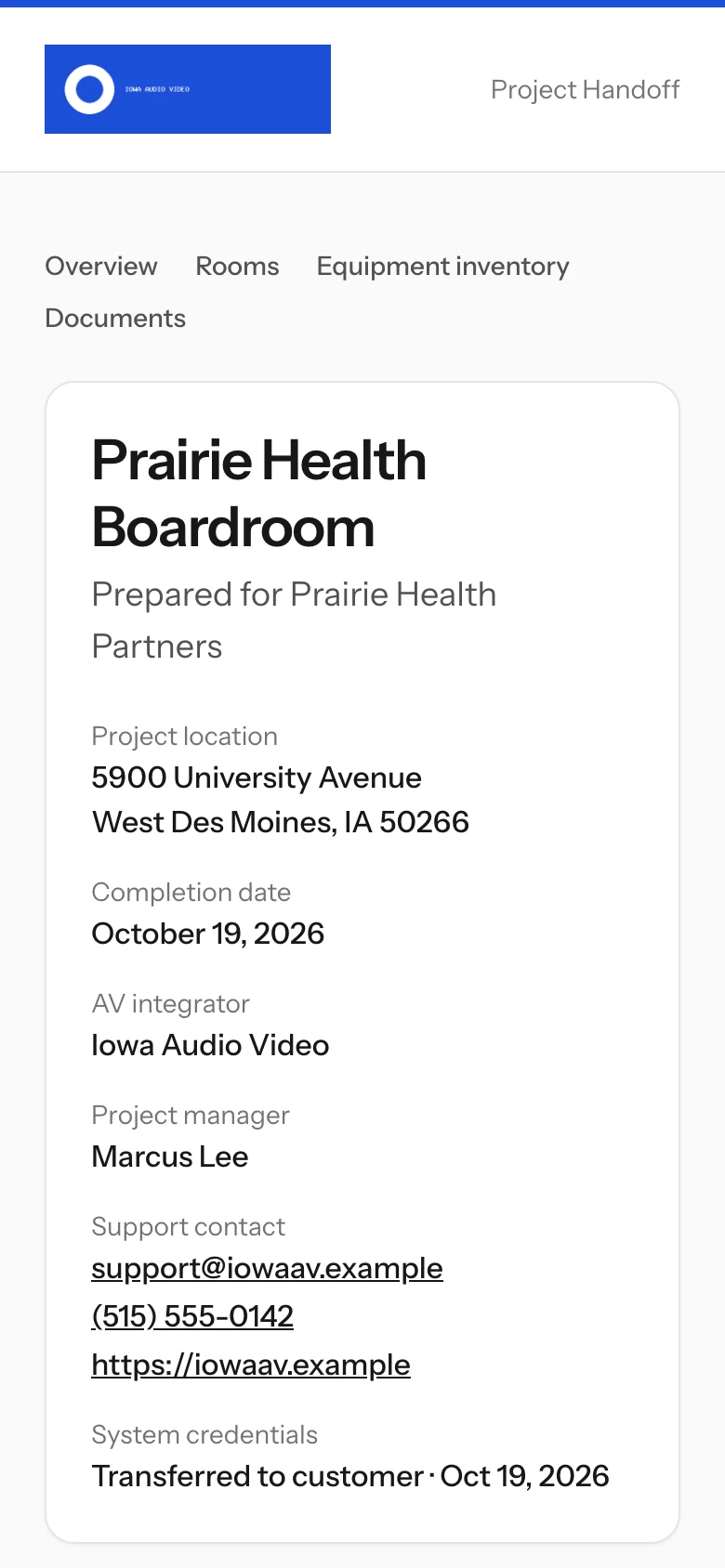
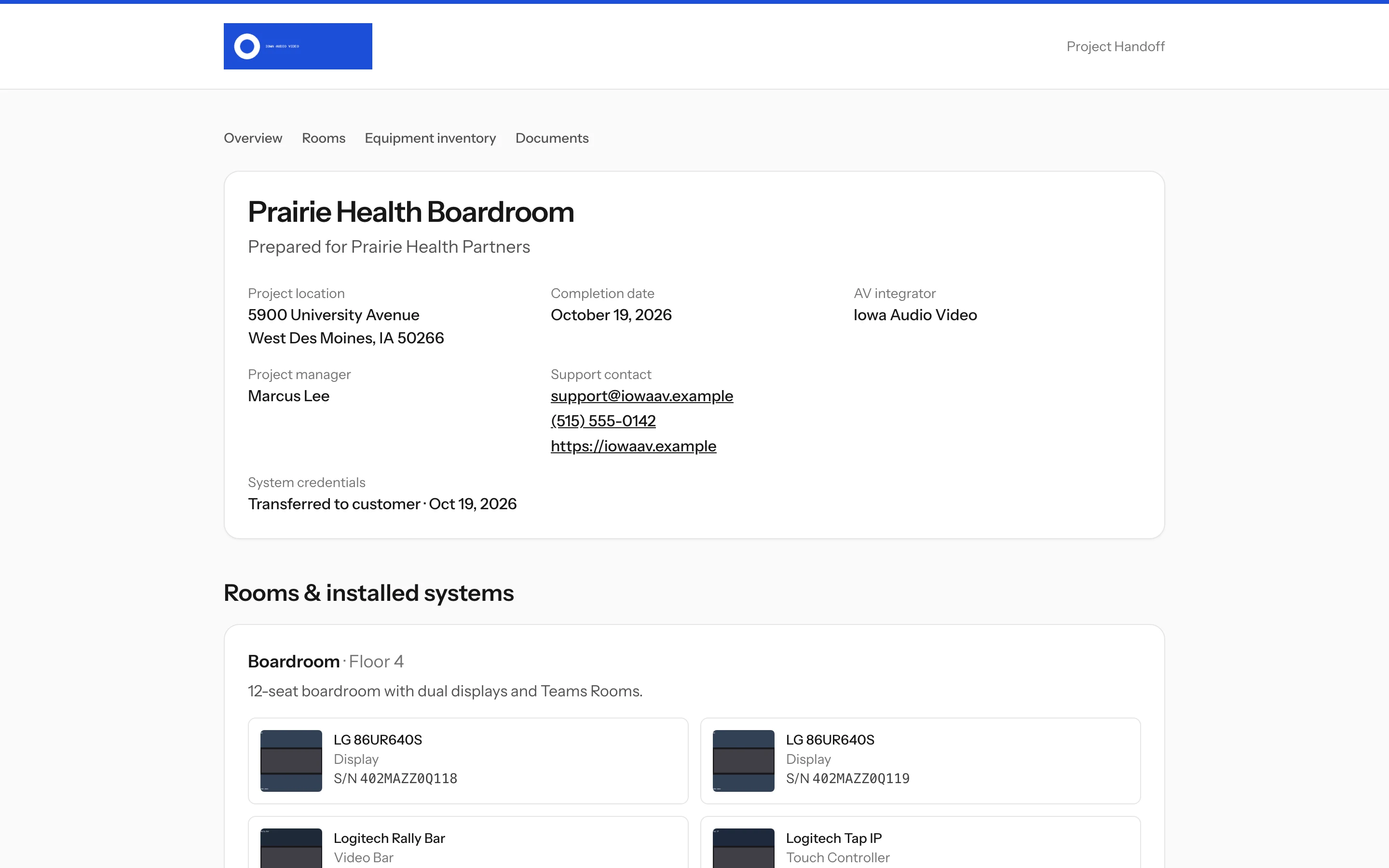
What your customer opens: rooms, equipment, documents and your support details.
What your customer receives
Everything is organized by room and category, branded with your logo and support details, and shared only with the people you choose.
Rooms and installed equipment with photos and serial numbers, an equipment inventory, every shared document and your support contact. It opens on any phone or computer without a login.
A printable record with the project overview, room summary, equipment inventory, warranty summary, document index and your support details.
The PDF, an equipment spreadsheet and every customer-visible file, sorted into numbered folders.
Customer-Project-Handoff/
├── 01_Project_Overview/
│   ├── customer-project-handoff.pdf
│   └── Equipment_Inventory.csv
├── 02_Equipment/
├── 03_As_Built_Drawings/
├── 04_Rack_Diagrams/
├── 05_Manuals/
├── 06_Warranties/
├── 07_Configuration_Backups/
├── 08_Training/
├── 09_Photos/
└── 10_Other/
For the whole team
Roles keep the field simple and the office in control, and your customer only ever sees the finished handoff.
Capture devices, photos, documents and checklist items from their phone on the projects they are assigned to.
Create projects, assign technicians, track completion across every job and generate the handoff.
Manage members, billing, branding, checklist templates and the activity log for the whole company.
Open a read-only portal from a private link. No account to create and no password to forget.
Features
Built around the way integration teams install, review and hand over systems.
Read serial-number barcodes with the phone camera, or type them in.
Group equipment by room and floor, the way your customer thinks about the building.
As-builts, rack diagrams, cable schedules, manuals, warranties, backups and training files.
Choose file by file what the customer sees. Configuration backups stay internal by default.
Reusable closeout checklists for each kind of room you install.
Active, ready for review, completed and archived, with email notifications along the way.
Your logo, colour and support details on the client portal and the PDF.
See who added or changed projects, rooms, devices and checklist items, and when.
Owners, admins, project managers and technicians each get the access they need.
Pricing
Unlimited users on every plan. Completed and archived projects never count toward your limit.
For small teams getting their installation records organized.
$29 /month
Billed monthly
$290 /year
Billed annually, save $58
For integrators who deliver branded PDF and ZIP handoffs.
$49 /month
Billed monthly
$490 /year
Billed annually, save $98
For busy teams running many installs at the same time.
$99 /month
Billed monthly
$990 /year
Billed annually, save $198
FAQ
The things integrators ask before they bring their team on board.
A web app for commercial AV integrators that records an installation while it happens: rooms, devices, serial numbers, photos, drawings, manuals and configuration backups. When the job is done, it turns that record into a customer handoff with a read-only portal, a branded PDF and a ZIP of every deliverable.
No. It runs in the browser on any modern phone, tablet or computer. Technicians sign in, open their project and start adding devices.
No. The client portal is a read-only page that opens from a long, private link. You can disable the link or replace it with a new one at any time.
Yes. Every file has a switch that controls whether the customer sees it. Configuration backups are internal by default because they can contain network details.
No, by design. The app records whether credentials were transferred and when, never the credentials themselves. Hand passwords over through your usual secure channel.
We are in private beta, so signing up takes a beta key. Email hello@revloy.com to request one. Teammates you invite do not need their own key.
Set up your company in minutes, invite your technicians and capture the next install as it happens.
Private beta. Request access at hello@revloy.com. Have a key? Sign up.